
catatui
A command line agent harness for MSU students
A command line agent harness for MSU students
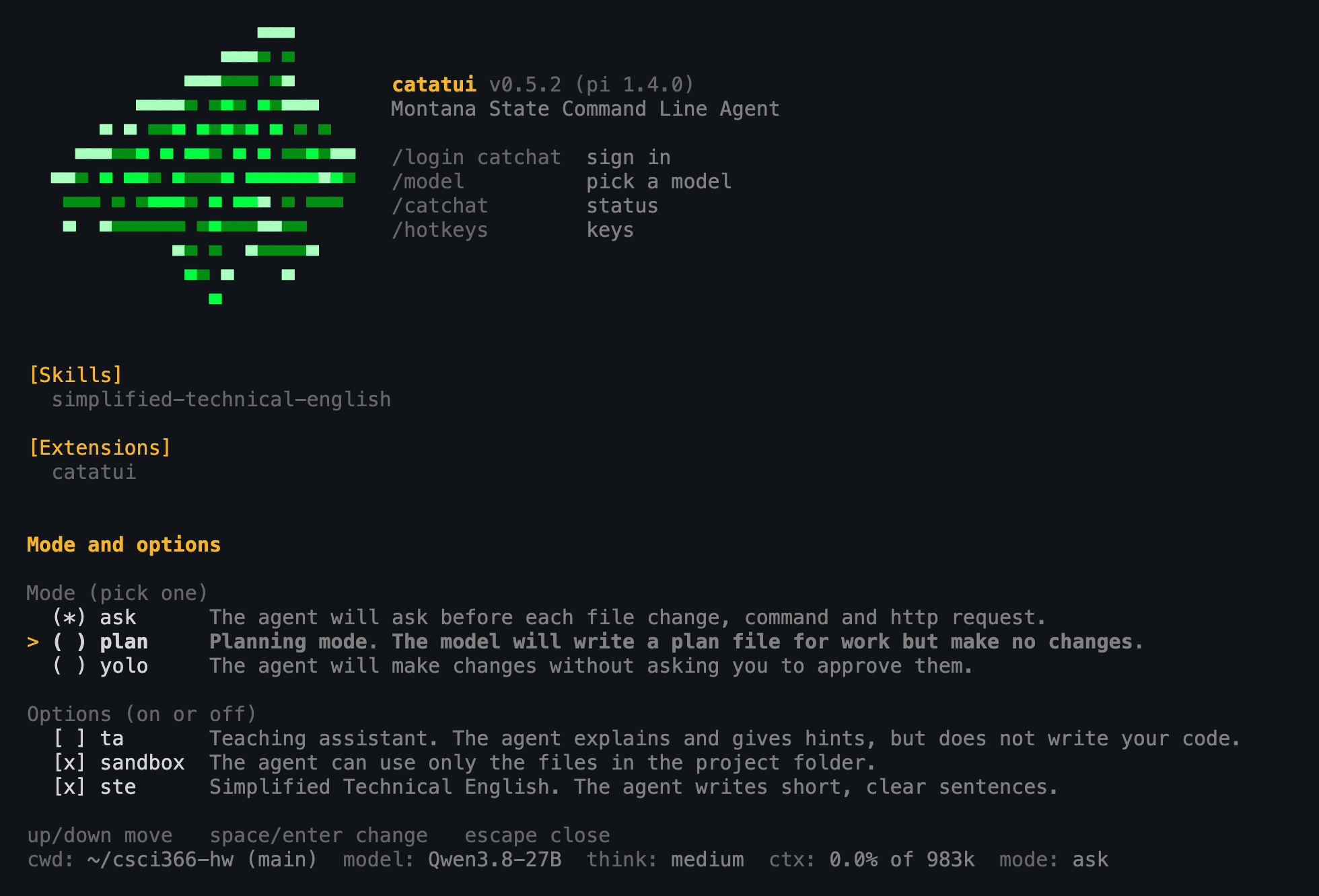
catatui is a coding agent that runs in your terminal and uses the MSU CatChat models, which are free for MSU students & faculty.
catatui is built as an extension on top of the excellent pi harness.
macOS or Linux:
curl -fsSL https://raw.githubusercontent.com/msu/catatui/master/install.sh | shWindows (in PowerShell):
irm https://raw.githubusercontent.com/msu/catatui/master/install.ps1 | iexOpen a new terminal, go to your project and run:
catatuiThe first time you run it, catatui walks you through creating a CatChat API key. The key page only works on the MSU network, so if you are off campus connect to the VPN first.
Run /mode to change the mode or flip an option. By default catatui runs in ask mode.
| Mode | What it does |
|---|---|
ask | Asks before each file change, command and http request |
plan | Writes a plan to PLAN.md and changes nothing else |
yolo | Doesn't ask. Good luck. |
| Option | What it does | Default |
|---|---|---|
ta | The agent teaches and offers hints rather than writing code for you. We suggest you use this frequently. | off |
sandbox | Keeps the agent in the directory you started it in. This is very simple and a determined agent can get around it, so read commands before you allow them. | on |
ste | Uses Simplified Technical English, which keeps the annoying chattiness of many AI models down. Turn it off if you don't like the clipped responses. | on |
| Command | What it does |
|---|---|
/mode | Change the mode and options |
/undo | Put back the files the agent changed in your last request |
/model | Pick a CatChat model |
/catchat | Show your sign-in status and reload the models |
/catchat reset | Sign out and quit |
/hotkeys | Show the keyboard shortcuts |
Press Escape to stop the agent while it is working.
/undo only covers the agent's file edits in the current session. It can't undo what a command did, so use git.
catatui --version tells you if there is a newer version and catatui --update installs it. On Windows, --update prints the install command for you to run after you close catatui.
See the README for the full docs and troubleshooting.